Monday, May 29, 2017

LSSL 5385 YA Literature - Book Blogging


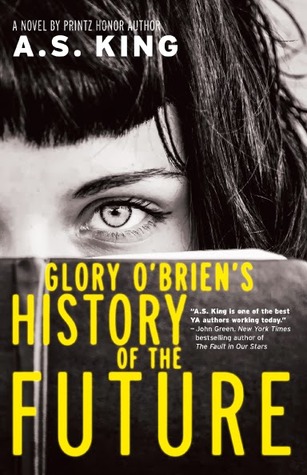
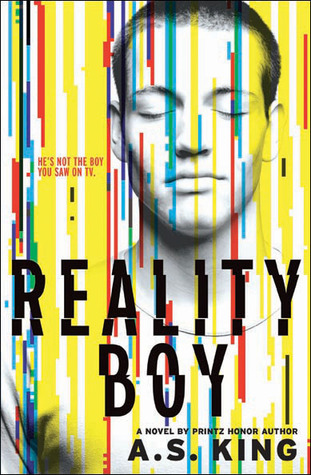
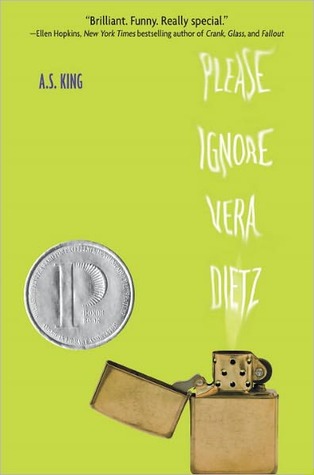
King, A. S. (2010). Please ignore Vera Dietz. NY: Alfred A. Knopf.

8. Requirement Met - Author A.S. King

 Summary - Vera Dietz has been taught to ignore. Ignore the abuse going on next door, ignore that her mother has left her and her dad, ignore that life can be difficult. When her best friend Charlie dies, she is left to struggle with the loss of their friendship, his death and the fact that people believe he died a criminal. The problem is Charlie is not letting her ignore any of those things. As Vera starts her senior year of high school she struggles with her alcoholic genes, her desperate need for friendship, her full time work and school schedule, and her crush on her 23 year old coworker. Occasionally we hear from Vera's dad, from Charlie, and from the town landmark but most of the story is told from Vera's mature and cynical perspective with a series of flashbacks. Despite the inconsistent timeline, the plot and suspense builds and captivates as Vera comes to terms with the fact that she will have to forgive Charlie in order to clear his name.

My take - King takes her time to tell this story, sometime belaboring the details of events. There is more explanation of pizza prep and delivery than was needed, but it does paint a picture of the repetition in Vera's daily life. Charlie is quite the complex character and is still a mystery to me, and to Vera as well. This is no light-hearted high school novel about friends or death. It is deep and asks some honest questions about what is both accepted and ignored in modern-day America.

Textbook tie-in - I would consider this book Young Adult and contemporary realistic fiction. The main character is highly independent and must make the decision whether or not to clear her friend's name. The story takes place is less than a year and we see Vera grow and move in a positive direction.

Themes                                                                                                            Other Books by A.S. King 


Loss and Abandonment.                    
Drugs and Alcohol
Choices
Duty
Coming of age


--------------------------------------------------------------------------------------------------------

Monday, December 5, 2016

Reflection

I came into this class with a decent knowledge of technology. Despite being in my 40's, I consider myself a digital native because my dad began working in the computer industry in the early 80's. From the time I was 9, we had a computer in my home. Many things have changed since 1984 in regards to technology and I have never been one who needs to be convinced of the benefits of technology in the classroom. This course helped me view technology and media in new ways. I was stretched to consider applications that I never would have imagined using in the classroom. Overall, I feel better equipped to use new technology in new ways in my library.

Infographics were a new experience for me and I would have to say, they were my favorite. It is one of those applications that has limitless possibilities. Presenting information in this creative way is beneficial to both teachers and students. This was an activity that I can picture using with G/T students as a way to demonstrate their understanding of their annual TPSP topic. Infographics are also a great way for teachers to share information with students, particularly information they need to access continually or for ongoing assignments.

The social media applications we discussed in class were something I struggled to fit into my idea of what can be done in the library, specifically on an elementary campus. Since my students are not legally allowed to register their own accounts, I had a difficult time with the assignments for Instagram and Vine. Podcasting was another application I found to be a difficult fit for a library visit for elementary students. While these may be tricky to imagine in my library curriculum, I'm glad to have had an opportunity to use these familiar concepts in an education setting.

Looking back, this class allowed me to experience a wide variety of applications that can differentiate my library lessons from what they are able to do in the classroom. As a librarian, my goal is to not only teach my students new things related to technology but also to demonstrate something new for the teachers. This class was a great starting point for the fun activities and 21st century learning I want implemented in my library.

Wednesday, November 16, 2016

Clark and Kozma Media Debate

Clark's argument that media is simply a delivery device and that it does not influence student achievement was made in the mid 1980's. Kozma, on the other hand, argues that certain learning tasks can be accomplished with the help of media. Media includes technology, "spoken language, printed text, pictures, numbers, graphs, and musical scores." The concept and debate of changing media in learning has existed since the days of Socrates.

After reading about the debate, I am torn. If this debate was solely on technology, I could easily side with Clark. But when you consider technology is only a small piece of the puzzle and media includes texts, I have to agree with Kozma. Regardless of a teacher's skill, media has an integral role in the educational process in order to engage students, assess understanding, encourage collaboration, etc. I think that teachers and media make a complete picture of education. One without the other is inadequate and I think teachers would agree that it is a codependent relationship. Now I will say that media on its own or in the hands of an ill-equipped teacher is not as effective as it could be. Good teachers plus the right use of media equal success for students.

"In spite of various volleys back and forth by Clark, Kozma, and others there remains no
conclusive evidence that any one medium is more effective than any other. Clark still uses this to conclude that specific media choices are irrelevant to educational outcomes, while Kozma remains optimistic that effects will become noticeable and suggests we consider the effects based on the attributes of the medium rather than the specific medium itself." (Moffat, 2013) When it comes to solely looking at technology I agree with much of Clark's research and arguments. One of the most frustrating things I've seen in classrooms is the use of technology simply for the sake of technology. In my research on this debate, it seems that 21st century educational minds focus on the technology portion of this debate instead of the larger picture of all media, which was at the center of the original conversation. My role as a librarian would be greatly inhibited if I didn't have access to great technology and amazing literature. These media in particular allow me to teach my students how to successfully analyze information, navigate the internet, and develop a love of reading.


Sources:


"The Media Debate." The Media Debate. EduTech Wiki, n.d. Web. 16 Nov. 2016.


Becker, Katrin. (2010). "The Clark-Kozma Debate in the 21st Century." Academia.edu - Share Research. N.p., Retrieved from http://mtroyal.academia.edu/ on 16 Nov. 2016.

Moffat, Dave. (2013). "Clark and Kozma Debate Is It Still Relevant." Retrieved from https://dcmoffat71.wordpress.com/2013/04/17/clark-and-kozma-debate-is-it-still-relevant/ on 16 Nov. 2016.

Sunday, November 13, 2016

Podcasts

My experience with podcasts includes one podcast that I made during an earlier grad school class where I discussed a pioneer in the world of library science and a couple where I had to interview students about library usage. Outside of school, my husband subscribes to a few sports related podcasts that I only listen to on long road trips so like comics, this is not a medium I have a lot of experience with.

My podcasts were all done through the website podbean.com and I have found the site to be very user friendly. It offers many features that go way beyond my needs including analysis tools, crowdfunding options, and iTunes support.

In my research on the use of podcasts in the classroom I came across some great websites with a variety of ideas on how to incorporate the media into an educational setting. This Scholastic article (http://www.scholastic.com/teachers/article/9-podcasts-teachers-and-kids) features a list of podcasts that students can listen to in order to learn about topics such as animals, languages, books, science and poetry.

This We Are Teachers website http://www.weareteachers.com/10-podcasting-projects-teachers-should-try-in-the-classroom-2/  features projects for students and I chose one of these for my sample podcast. I love the idea of allowing students to create a podcast as a way to demonstrate understanding. If I needed to share information with students, especially information from the library, then I would either make a video or a screencast. I am having trouble imagining a scenario where students would benefit from listening to a podcast by me, but I like the idea of students using them to share information with each other. One of the ideas on this website is to have students create a reading radio. I recruited help from my son who is a reluctant reader and up until recently, had never been excited about a fiction book. Here is a book tease by my son for the book The Terrible Two.


Sources:
Macpherson, Erin. (2014, August 7). "10 Podcasting Projects Teachers Should Try in the Classroom -       WeAreTeachers." WeAreTeachers. N.p., 18 Aug. 2016. Web. 10 Nov. 2016.

Richards, Emily. "9 Podcasts for Teachers and Kids | Scholastic.com." Scholastic Teachers.                      Scholastic, Inc., n.d. Web. 10 Nov. 2016.


Sunday, November 6, 2016

Comics

I will start off by saying that I am not much of a reader of comics so this task was a challenge for me. The students at my school are big fans of graphic novels so the idea of allowing students to create a comic is very appealing. On makebeliefscomix.com (http://www.makebeliefscomix.com/How-to-Play/Educators/) the ideas for incorporating comics into the classroom is full of great ideas but are more of an ongoing project that students would need several days to complete. Students coming into the library would only have a limited amount of time to work on a task like this. It took me over an hour to complete mine! For library application purposes, it could be a project GT students complete for their yearly project. I also can imagine it being an activity that middle school students would enjoy doing as a technology library lesson. An understanding of story elements and summarization can be demonstrated through the creation of a comic strip.

My first attempt at a comic was on toondoo.com and I will say that I found it very easy to use. There are many options for customization and it was fun to play around with the characters, positions, emotions, backgrounds, etc. After doing a search in my school library today for books to put in a presidential election display, I ran across a book with a humorous title. I decided to include that book in my comic. (It may be hard to see, the book is called The Election Day Disaster)

Next I visited makebeliefcomix.com and appreciated the simple start up without the need for creating an account. After all the custom features on toondoo, I found the options available on makebeliefcomix.com to be a little disappointing. The lack of options could prove beneficial in a classroom environment because students wouldn't spend hours perusing all the features. There simply aren't that many options to look through. My feelings for the options however are summed up in the comic itself.


After several attempts to open Pixton, I finally was forced to give up. My computer's malware wouldn't allow me to open the site so I searched for another option and stumbled upon the delightful Storyboard That. The options available for customization are outstanding. I was able to start right away with no registration and it was incredibly simple to use. I can see this being a website I would recommend to teachers. Perhaps calling it a storyboard instead of a comic might open their eyes to the possibilities of teaching characters, setting, problem, solution, etc. Here's what I was able to produce in just about 10 minutes.


I was impressed with the ability to change everything. I was even able to adjust the lighting in the windows in the first library scene. There are hundreds of characters to choose from, I just selected the same one each time and changed the colors of her clothes, hair, skin, eyes, etc. to show the customization. Storyboard That was a fun find!

Comics would be a fun edition to makerspace. We have students who have ongoing physical projects, this could be ongoing as well, just online. I can foresee it would appeal to students who are incredibly creative, but might not be able to show it in conventional ways.  


Thursday, October 27, 2016

Videos and QR codes in the library

YouTube

    Youtube can be a teacher's best friend! The resources available there and the ease of use make it a valuable asset for educators. Having students make their own videos for Youtube is taking it to a whole new level. For older students taking technology or production classes, I can see that these would be a great way for students to demonstrate understanding of the movie making process. On the Youtube channels we explored, I really liked the science experiment videos where students shot multiple phases of the experiment. When a problem occurred, they corrected the problem and tried again. Many of them had great editing, music and transitions that other student would enjoy watching while also learning about the science experiment.
     I think the mini-lessons are a great way for students to access and revisit pertinent information about research. I can see how this would be crucial for high school students who are expected to independently research and cite their sources.

Animoto

     I was looking forward to working with Animoto because I've heard about librarians using this with students who want to make book trailers. Unfortunately, it was an exercise in frustration for me. I have used several movie making programs including iMovie so I came into Animoto with expectations about customization. There was little opportunity for customizing the text placement, picture sizing and zoom, and there was little rhyme or reason to how any of it was displayed. My book trailer turned out only ok, but the perfectionist in me wished I could have had more control over the final product.
     For my book trailer, I chose The Terrible Two by Jory John and Mac Barnett. It is a bluebonnet book this year and is probably the first book my son has voluntarily read from cover to cover.


When master prankster Miles Murphy moves to sleepy Yawnee Valley, he challenges the local mystery prankster in an epic battle of tricks, but soon the two join forces to pull off the biggest prank ever seen.


QR Codes

I've seen QR codes used as way to send students exploring around the library on a scavenger hunt. Students used an iPad to read about the sections of the library and watch book trailers. I like the idea of using QR codes as a walking exhibit, having students move around the library or school to search for codes and utilize technology to learn in a unique way.

Linking students to online resources and e-book websites is also a great way to use QR codes in a practical way. Promoting those resources on bookmarks and posters is also great idea! Of course, all of this relies on users having access to a device to read these codes. Librarians would have to be intentional is their utilization of this technology making sure it matches up with the school's resources.

qr code
Sources:

Amazon. The Terrible Two (2015). Retrieved from https://www.amazon.com/Terrible-Two-Mac-Barnett/dp/1419714910/ref=sr_1_1?ie=UTF8&qid=1477876760&sr=8-1&keywords=terrible+two

Cornell, Kevin. (2015). Images retrieved from http://terribletwo.com

BBSMedia (2016, Sept. 23). Caroline's Director Video.         https://www.youtube.com/user/bbmsmedia/videos

Animoto.com
Saturday, October 22, 2016

Instagram, Vine and Screencasts

Instagram

      I have had a personal Instagram account for several years and as far as social media is concerned, it is probably my favorite. Unlike Facebook, following someone on Instagram is not mutual (which is great!) I enjoy following several celebrities, athletes and musicians who allow a small glimpse into their lives. Since I work with elementary students, the use of Instagram for school has never crossed my mind. In one of the articles we read, it mentions that teachers can create class accounts and allow students (and/or parents) to participate. For younger students, I feel the ClassDojo app accomplishes this without encouraging students to use an app they are technically too young to download. But for the sake of this conversation, I found one of my Instagram posts that is relevant to the world of literature and libraries.


A little censorship of Dr. Seuss done by my daughter when she was 7.   
She didn't appreciate the nudity in Wacky Wednesday and took matters 
into her own hands. I found it about 6 years later and we had quite a laugh 
at her creative way to fulfill her need for modesty. 

Vine

      My feelings for the use of vines in the classroom are not that different than Instagram. I work in a district where the use of Twitter is highly encouraged, even rewarded! So for me, I envision vines as a  way to show off or brag about the great things students are doing in our classrooms or libraries. Last school year, our school librarian and I were playing with a makeymakey and I figured out how to play Jingle Bells with playdoh. She posted this short video and this is how I would use vines, especially to showcase cool makerspace activities.


 Screencasts

      I have to admit, I was excited about the opportunity to do my first screencast. I'm relieved to see it was easier to use than I thought and I love the idea of making these short videos to explain library activities and procedures. I used Screencast-o-matic and its free account offers plenty of options to fit my needs. For my first video, I took this opportunity to show my students how to locate and complete the bluebonnet quizzes I am implementing this year through Google forms.